Stop Renting Intelligence. I Built My Own Robot — And Here's the Exact Blueprint.
I built my own autonomous AI agent for under $50/month and live-streamed the entire blueprint. A DigitalOcean droplet, a GitHub repo called NanoClaw, Windsurf, and more hard-won patience than I'd care to admit. Here's exactly how I did it.

ARTICLE — THE SARAH FACTOR / MORNING SCRUM — MARCH 12, 2026
https://www.linkedin.com/in/jebinbasheer/
https://www.linkedin.com/in/govinddavis/
By Govind Davis, founder of Strattegys and host of The Sarah Factor. I don't write code for a living. I build businesses. And that's exactly why this matters.
I am worn out.
Genuinely, bone-tired from the hours I've poured into this.
But I would do every single painful minute of it again — because on the other side of that pain is something I couldn't have bought off the shelf: a fully autonomous AI agent, running 24/7 on a server I control, doing real work for my business, for less than $50 a month.
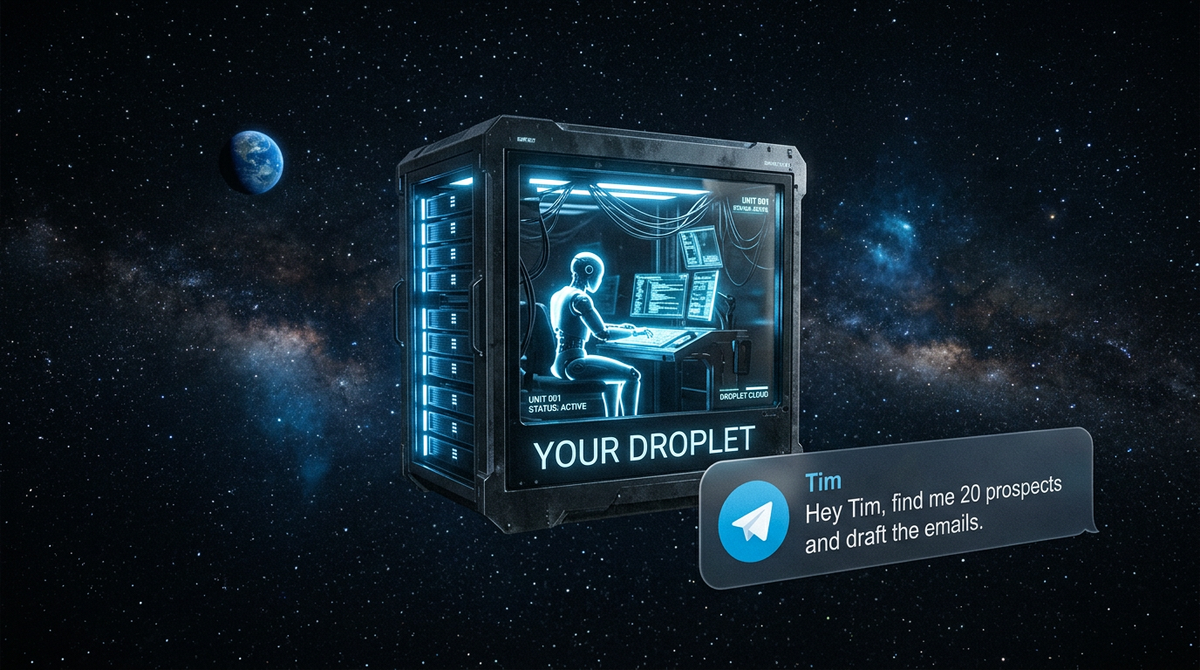
I named him Tim.
I went live on my Morning Scrum show with Jebin Basheer, from Sorint.lab, to walk through exactly how I built it — not because it was polished or pretty, but because I knew that if I'd had someone show me this six months ago, I would have saved weeks of frustration.
So this article is that show, written up. Everything I know.
No hype. Just the blueprint.
Who This Is For — And Who Was In the Room
A quick word on me, so you understand where this is coming from.
I'm Govind Davis, a business content artist, techy, and host of Morning Scrum and The Sarah Factor, a weekly live show about AI-powered sales automation and the future of BDR and SDR technology.
My background is business and strategy — I previously built a low-code software services company to 75 people before I sold it. I am not a software engineer. I don't write code.
I use AI tools and IDEs to make things happen, and I have spent the last several months going very deep on agentic AI — autonomous systems that do work for you continuously, rather than tools you interact with one prompt at a time.
Joining me on the live stream was Jebin Basheer, a sales professional based in Germany who connected through the show.
Jebin represents exactly who I'm building this content for: someone who operates in a sales environment, understands the value of automation in theory, and is trying to figure out what it actually takes to go from "I've heard about this" to "I'm running it."
His questions and reactions during the session were the honest reality check that kept the whole thing grounded.
The Difference Between Using AI and Owning It
Here's the thing I keep coming back to, and I said it on the show: there is a fundamental difference between using Claude or ChatGPT as a productivity tool and having an autonomous agent that operates for you continuously.
Most people — including me, until recently — are in the first camp.
They open a chat window, ask a question, get an answer, close the tab.
That's useful.
But it's not the same as having a digital employee who is always on, always working, and can be directed to go do something and then just... does it.
Think of it this way.
Imagine having a physical robot in your house that continuously cleans, picks things up, handles tasks while you sleep. Now compare that to an app on your phone you have to open every time you want something done.
One is infrastructure. The other is a tool.
What I built is infrastructure. And the mental leap from tool-user to infrastructure-owner is, I genuinely believe, the thing that will separate the people who get outsized value from AI and the people who are just keeping up.
There is also a hard economic reality here.
If you don't build this yourself, you will pay someone who did — and you will pay a significant markup.
Two times, ten times, fifty times the underlying cost.
I'm not saying that's wrong. I'm saying: the cost of building it yourself is a few days of effort and roughly $50 a month. Once you've crossed that threshold, you are no longer on the paying side of that equation.
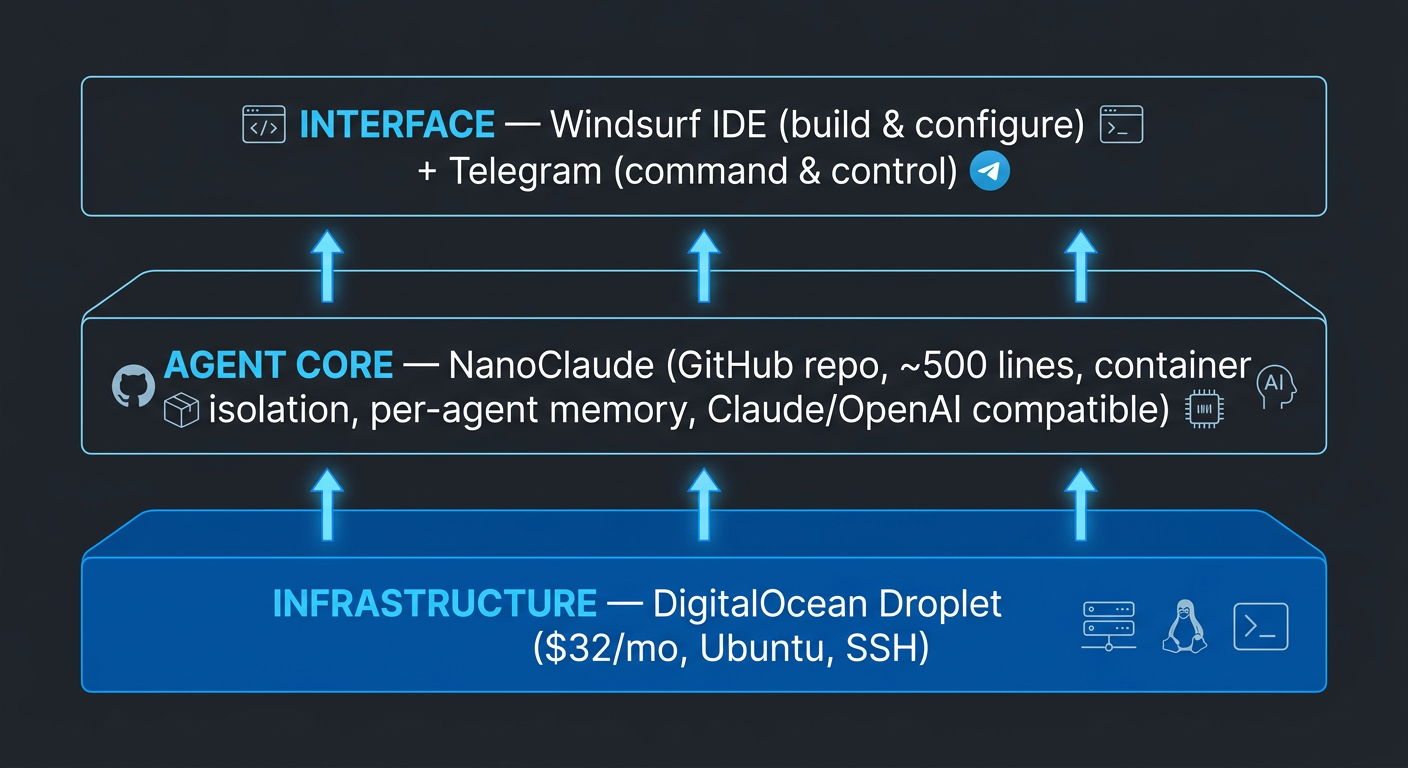
The Stack: Three Layers, Explained Plainly
Let me walk you through exactly what I built and why each piece matters.
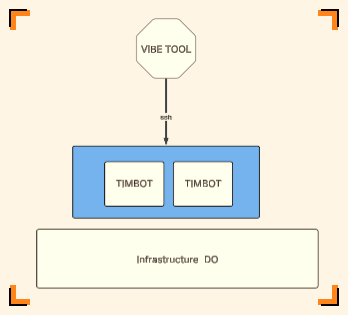
Layer 1: The Droplet — Your Robot's Home
The first and most important decision is where your agent lives. I want to be direct about this: do not run an autonomous agent on your personal laptop or desktop. I tried this. It is a bad idea. An autonomous agent is doing real things — executing code, making requests, writing files — and if something goes wrong in that environment, you can come back to your machine in a very broken state. Your personal computer is not the right home for something that operates without supervision.
The right home is a Virtual Private Server — a small, dedicated machine sitting in a data center somewhere that runs 24 hours a day and is entirely separate from your personal environment. I use DigitalOcean for this. They call their servers "droplets." It's a great name for what they are: small, self-contained instances of computing power you rent by the month. For a functional autonomous agent, I'm running Ubuntu (a version of Linux) and spending about $32 a month. You could potentially do it for $16 a month with a smaller configuration, but I haven't tested that thoroughly. The point is: this is the cost floor. Think of it like buying a very affordable computer that lives in the cloud and never turns off. There's also a German alternative called Hetzner that's reportedly even cheaper — worth exploring if you're cost-conscious.
Getting into the server requires setting up what's called an SSH key — a secure way to authenticate yourself when you connect to the server remotely from your own machine. This sounds more intimidating than it is. It's essentially a digital lock-and-key system. Your IDE (more on that in a moment) will walk you through it, and once it's set up, you won't think about it again.
Layer 2: NanoClaw — The Agent's Brain
This is the part that really changed my thinking. NanoClaw is a GitHub repository — essentially a package of code you can install on your droplet — that gives your server the ability to operate as an autonomous agent. It's roughly 500 lines of code, which sounds small, but it packages everything that matters: the ability to run continuously, a security model that keeps it from doing things it shouldn't, memory that persists between sessions, and the ability to run multiple separate agents on the same server without them interfering with each other.
To understand why this matters, you need to understand what came before it. OpenClaw — an earlier, larger open-source project — was more powerful on paper but significantly less stable in practice. I tried to deploy it three times. Three times, it blew things up. NanoClaw is the version that actually worked for me. It's more contained, more predictable, and honestly more impressive precisely because of how lean it is. Jensen Huang has called agentic AI the biggest technical innovation of our time — and while that might sound like a tech executive being dramatic, I now understand what he means. Having something that connects to Claude or OpenAI and then just keeps running, keeps thinking, keeps working — that is genuinely different from anything that came before.
The other thing I love about NanoClaw is that it's extensible through what it calls "skills" — modular add-ons that give your agent new abilities. Want your agent to send emails? There's a skill for that. Want it to browse the web with a headless browser? There's a skill for that. HTTP requests, file management, API connections — the library keeps growing. You install the skills you need, and your agent's capabilities grow with it. You are not limited by what some product team decided to build. You are limited only by what you're willing to configure.
Layer 3: Windsurf and Telegram — Building and Talking to Your Robot
Once your droplet is running and NanoClaw is installed, you need two things: a way to build and maintain your agent, and a way to actually talk to it in real time. For building, I use Windsurf — an AI-powered IDE (Integrated Development Environment) that costs $15 a month. An IDE is essentially a smart code editor that can connect to your server, understand what you're trying to build, and help you do it. Windsurf specifically is designed for AI-assisted development, meaning you can describe what you want in plain English and it will help you implement it. I am not a coder. Windsurf is why that doesn't matter. I burned through my monthly credits faster than I'd like to admit while I was figuring everything out, but once the setup is stable, the ongoing usage is modest.
For talking to Tim once he's running, I use Telegram. This surprised me when I discovered it, but Telegram is by far the easiest messaging platform to connect an agent to. It has a clean, well-documented API, it's free to use, and it works everywhere. WhatsApp — which seems like the obvious choice — is actually much harder to integrate. Don't bother. Set up a Telegram bot, point it at your NanoClaude instance, and you now have a direct line to your agent. You send a message. Tim responds and goes to work.
What Tim Actually Does For Me
I named my agent Tim.
I want to be honest: naming your agent is not a trivial act.
It changes how you think about the relationship.
Tim is not a tool I open and close.
Tim is something that is doing work for me right now, even as I write this.
I've already connected him to Google Drive, so anything he produces — research, drafts, summaries — lands in a folder I can access immediately.
Email integration is next on my list. A headless browser for web research after that.
The sales applications are where this gets genuinely exciting.
The task I keep coming back to is prospect research and outreach drafting. In a typical sales workflow, finding the right people, researching each of them, and crafting a personalized message is hours of work — and it's the kind of work that's intellectually draining precisely because it requires just enough judgment to resist full automation, but not enough creativity to be satisfying.
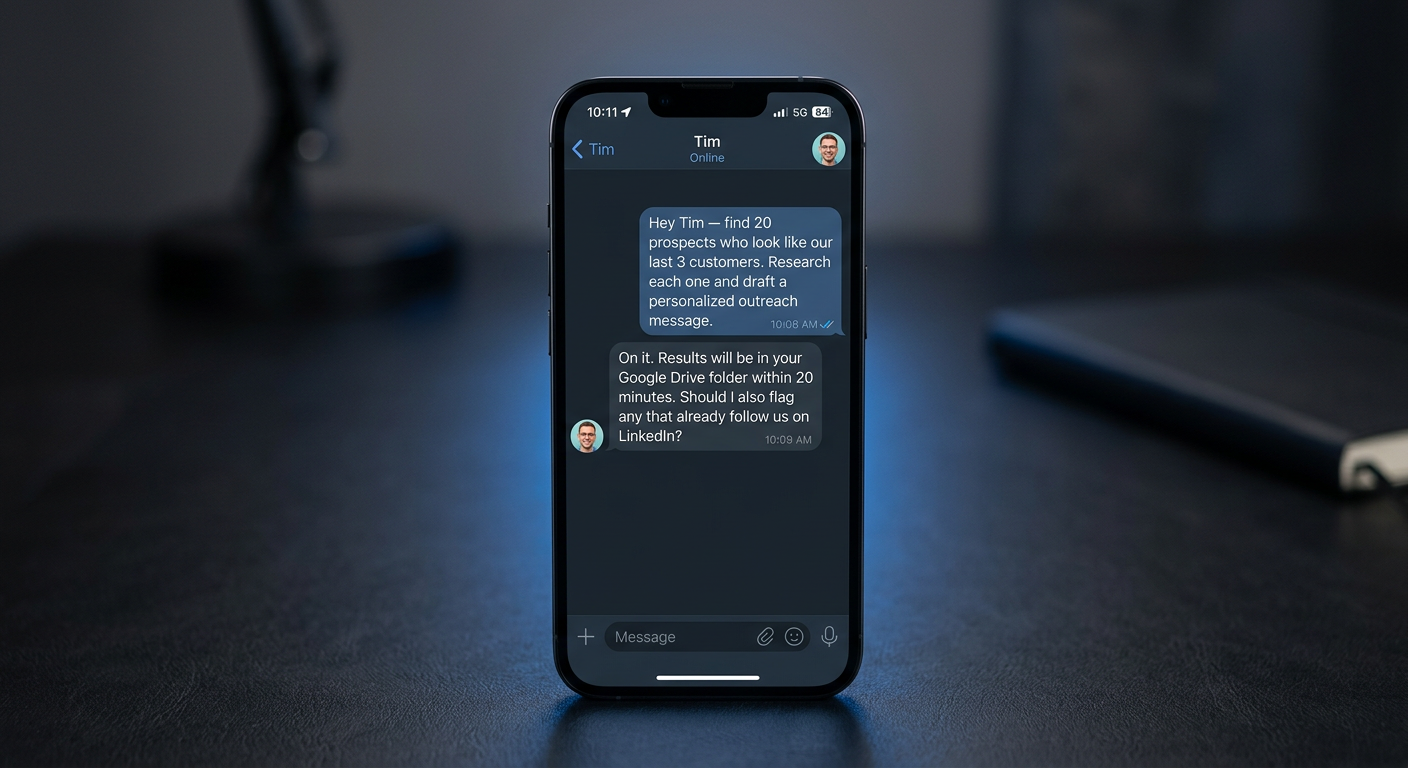
Tim changes that equation entirely. I can tell Tim: find me 20 people who look like our last three best customers, do the research on each of them, and draft a personalized LinkedIn message for each one.
Tim goes and does it.
What lands in my Drive folder is a first draft I can review in thirty minutes and send with thirty seconds of editing. My brain stays on the decision-making. Tim handles the legwork.
There's also a content workflow baked into how I run the show itself.
This stream gets recorded and transcribed.
Within fifteen minutes of going offline, I have the raw material for an article like this one.
Tim doesn't finish the article — but the pipeline that turns a live conversation into published content is part of the same infrastructure philosophy.

Everything connects. Everything feeds forward.
The Honest Part: It Is a Pain
I'm not going to pretend this is easy. It isn't.
I burned out OpenClaw instances three times before finding NanoClaw. I burned through Windsurf credits debugging configurations. I have spent hours in server logs that looked like ancient runes.
There were days where I genuinely questioned whether I should just buy an existing tool and move on.
But here's what I kept coming back to: when you buy an existing tool, you are renting capability that someone else controls.
They decide what features you get.
They decide what integrations are possible.
They decide when to raise the price.
When you build this yourself, you own the infrastructure. The API keys are yours. The agent's memory is yours. The skills you install are yours.
There is no platform risk — no morning you wake up to an email saying "we're discontinuing this feature" or "your plan no longer includes X."
And when you get to the other side?
When you've done the work and your agent is running and you send Tim a task from your phone at 11pm and check your Drive folder the next morning to find it done? I promise you, the exhaustion evaporates.
That feeling is what I was trying to give Jebin a glimpse of on the show. It's not just useful.
It's genuinely transformational in how you see what's possible.
Your Next Step
I'm writing up the full technical guide — every step of the setup, from creating the droplet to installing NanoClaw to connecting Telegram — and I'll share it with everyone who follows along with the show.
If you want it, connect with me on LinkedIn and watch for the post.
The cost of entry is about $50 a month in infrastructure and a weekend of your focused attention. The upside is an autonomous digital employee who works for you around the clock, scales with your ambition, and answers to nobody's roadmap but yours.
Tim is already working. When are you building yours?