I Built My Own Autonomous AI Agent for $50—and the World Will Never Be the Same
I built an autonomous AI robot named Tim for $50. He sends my LinkedIn messages, manages my CRM, self-corrects errors, and learns from every interaction—all from a Telegram chat. Here’s how I did it and why this changes everything.

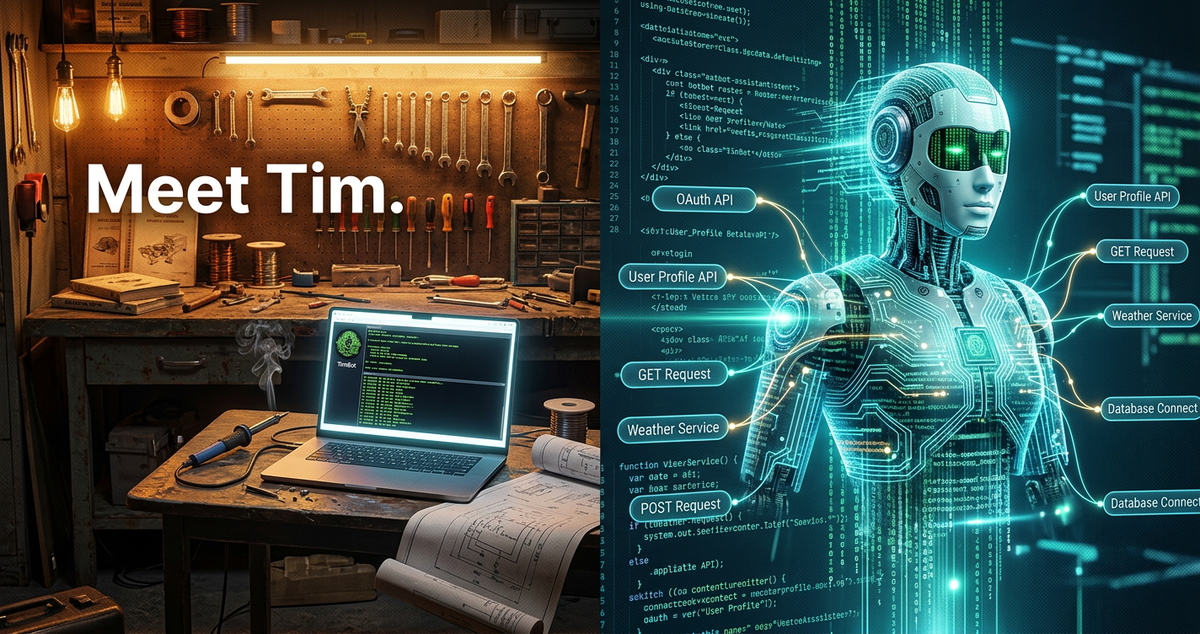

I’m just going to say it: there is life before robots and life after robots.
And I just crossed over.
A week ago, I was sitting in my garage, toggling between browser tabs, manually sending LinkedIn messages, trying to figure out how to integrate three different things that didn’t want to talk to each other.
I’d been through OpenClaw—nightmare. NanoClaw—different kind of nightmare. I was running out of API credits, pounding my head against the wall, and honestly wondering if this whole autonomous agent thing was as real as everyone kept saying it was.
Then something clicked.
And I don’t mean clicked like “oh, I made some progress.”
I mean clicked like—is this actually real?
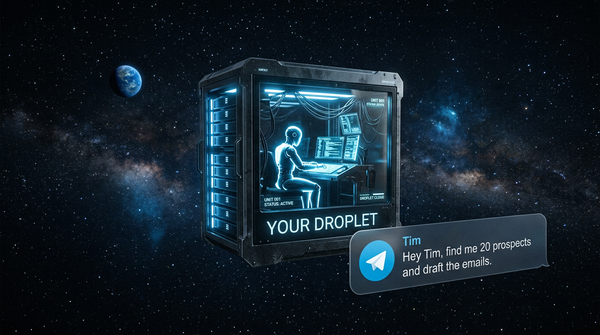
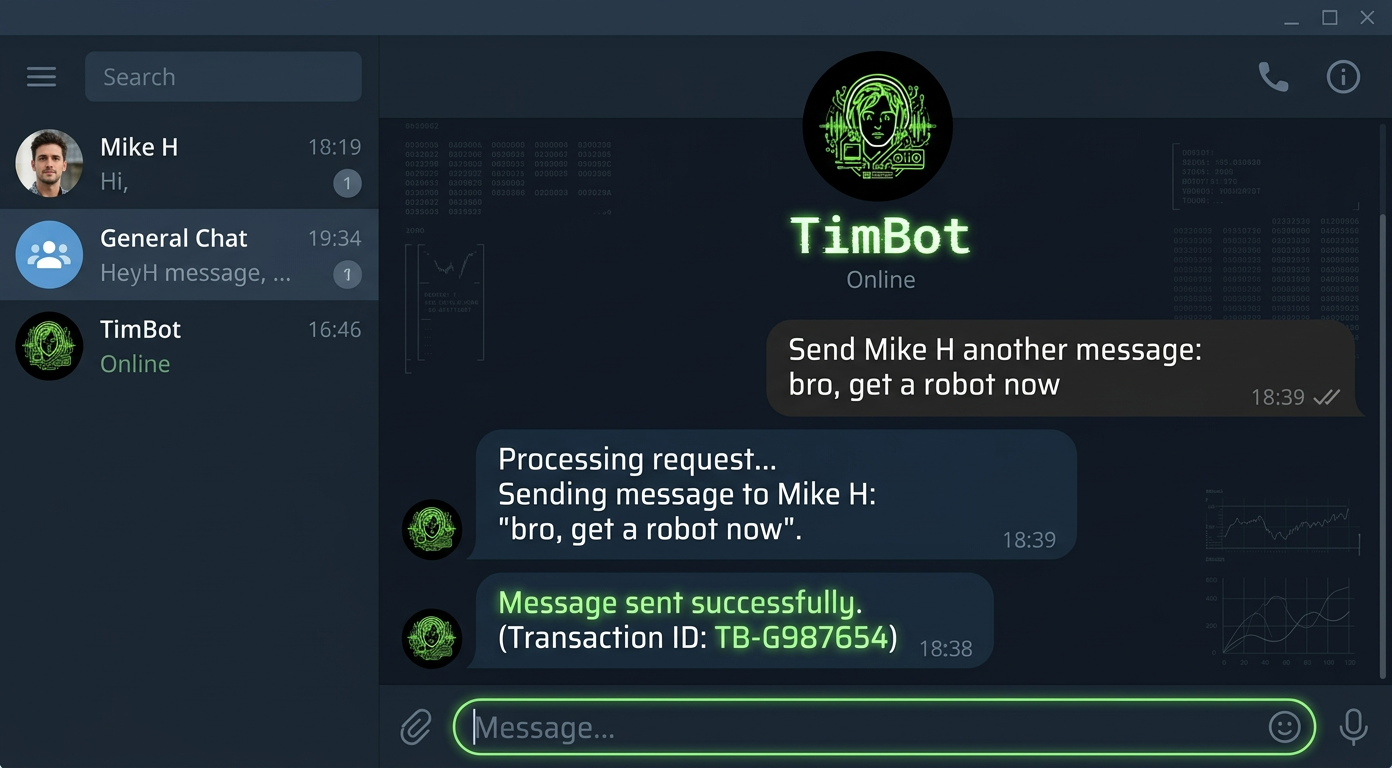
Because I’m sitting here typing a sentence into Telegram: “Send Mike H another message: bro, get a robot now.”
And I walk away.
And Tim does it.
Tim sends the LinkedIn message.
Tim logs the note to my CRM.
Tim learns who Mike H is for next time.
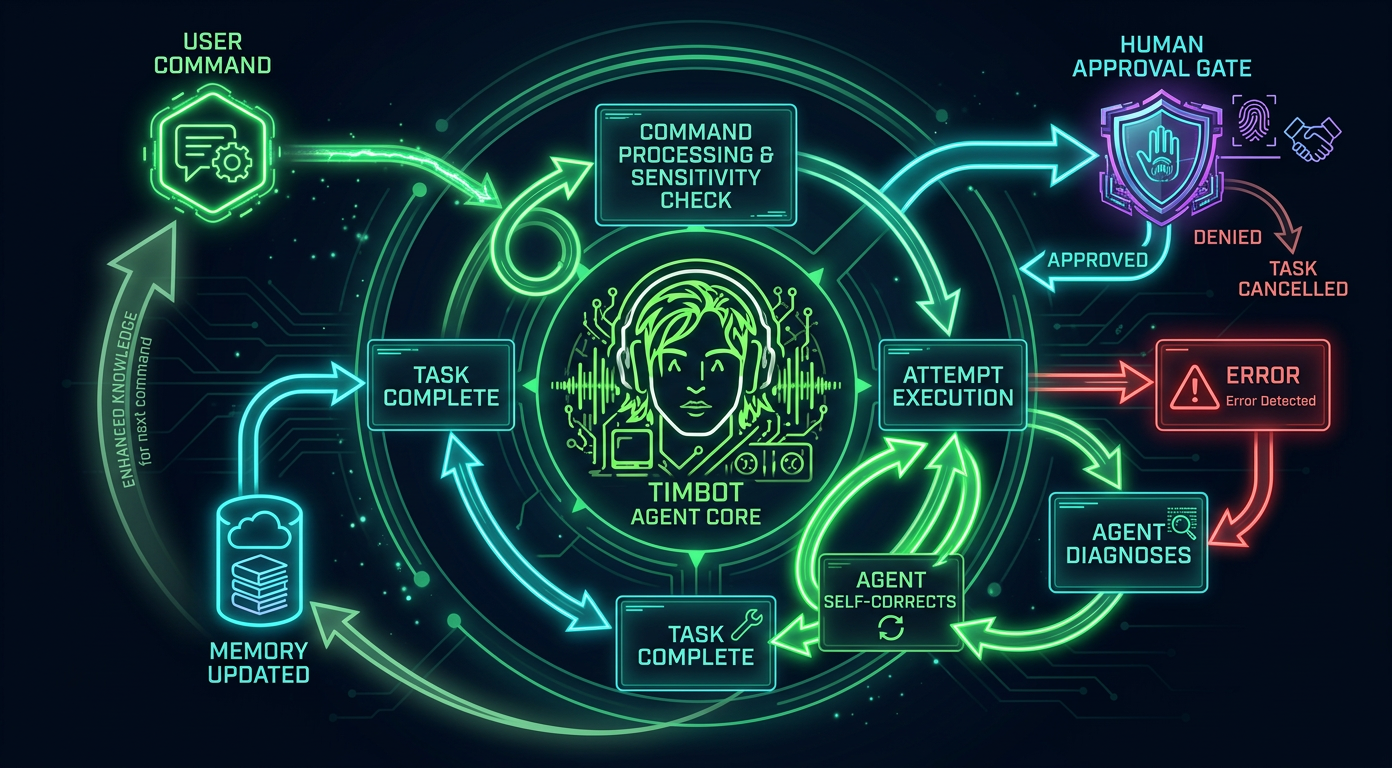
And when Tim hits an error?
He self-corrects. Fixes it himself.
I don’t even know what to say.
This is mind blowing.
And I know that sounds hyperbolic, but when you’ve actually experienced it—when your robot just handles things and gets better every time—you’re like, okay, this is the biggest technological shift of our time.
I’m 100% sure of it.
A Quick Word About Who’s Writing This
I’m Govind Davis.
I run Strattegys, where I help B2B companies build growth engines.
Before that, I built MCF Technology Solutions into a multi-million dollar business delivering process solutions to some seriously large organizations.
I went to Case Western Reserve for my MBA, studied at UC Davis before that, and I’ve spent my career at the intersection of technology and business—from supply chain at American Greetings to advising startups through the Keiretsu Forum’s Tech Committee.
But here’s the thing: I am not a traditional developer.
I’m a business guy who codes. I vibe code.
I use Windsurf as my IDE, I code in Sonnet, and I figure things out by doing them, breaking them, and then doing them again until they work.
That’s exactly how Tim happened.
And honestly, that’s why I think this matters—because if I can build an autonomous robot in my garage (literally), so can you.
Can anybody do it how I did it? Yeah.
Follow some basic instructions, do the security things, set up accounts, do what the tooling tells you.
You’ll have whatever robot you design in half a day.
The Architecture of Controlled Digital Autonomy
Okay, so let me break down how this actually works.
I call it the Architecture of Controlled Digital Autonomy, which sounds fancy, but the concept is actually really simple when you think about it.
Think of it like this.
You have a great employee—your right-hand person.
My buddy Mike H called it Robinson Crusoe and Friday, which I love.
You don’t go rummaging around in a great employee’s desk, right?
You talk to them. You tell them what you need. They go do it.
That’s not Tim, that's Windsurfing.
Tim is a Robot.
Friday is my Tool to Build & Control Robots, my Vibe Tool
And the architecture is just the blueprint for how you wire that relationship together.
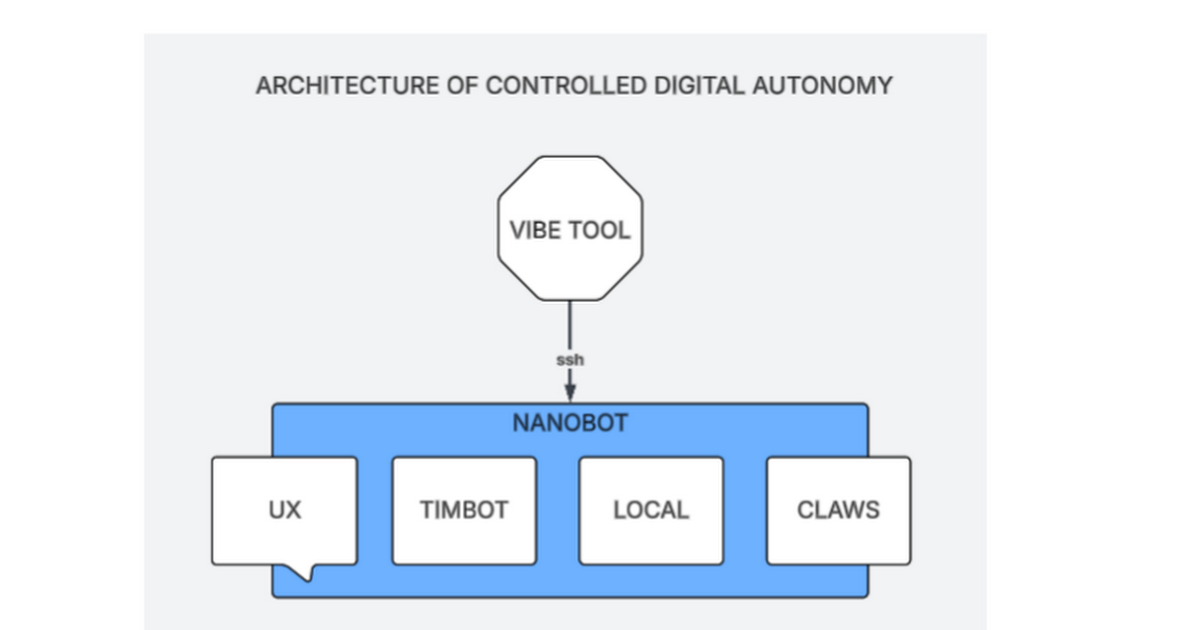
The Architecture of Controlled Digital Autonomy — this is the whole blueprint.
Here’s how the layers break down.
At the top, you have the Vibe Tool—that’s your IDE. I use Windsurf.
You connect via SSH to the backend of your bot.
That’s your control panel.
Below that sits Nanobot, which is the lightweight Python gateway that orchestrates everything.
And then inside the Nanobot, you’ve got four pillars: the UX (Telegram for me—I just talk to Tim on my phone), TimBot (his personality, his instructions, his memory), Local (stuff on the server like my database), and the Claws.
The Claws are important.
That’s the skills and tools that let the robot actually reach out and touch the world.
Like, hey, go send a LinkedIn message.
Go log this to the CRM.
Go search the web.
Without the Claws, you just have a chatbot.
With the Claws, you have an autonomous being that can manipulate the digital world on your behalf.
And you have to explicitly give your Bot these things—you wire them up, and as it learns how to use them, you get better and better results.
Under the Hood
The core breakthrough for me was Nanobot.
I tried a bunch of stuff first, and Nanobot is just—it’s amazing.
It’s an open-source, MCP-native AI agent framework.
Comparable frameworks have 430,000+ lines of code.
Nanobot does it in about 4,000 lines. That’s a 99% reduction.
It runs as a single Python process, supports 20+ LLM providers, and it’s fast, cheap, and works.
Here’s what my actual configuration looks like:
// Agent Tim — Nanobot config.json{ "providers": { "gemini": { "apiKey": "..." }, "groq": { "apiKey": "..." } }, "agents": { "defaults": { "model": "gemini/gemini-2.5-flash", "maxTokens": 4096, "temperature": 0.7, "maxToolIterations": 20, "memoryWindow": 50 } }, "channels": { "telegram": { "enabled": true, "token": "BOT_TOKEN", "allowFrom": ["*"] } }}
FULL SPECS HERE

The whole brain in a single JSON file. LLM, memory window, Telegram channel.
Tim runs on Gemini 2.0 Flash, which gets me response times of two to five seconds on Google’s free tier—that’s 1,500 requests a day for nothing.
The temperature is 0.7, which keeps Tim creative but not crazy.
And the memory window of 50 messages means he’s carrying our last 50 exchanges in active context.
Older stuff gets compacted into summary files that stick around across sessions and restarts.
The Claws: Where Tim Touches the World
Let me get specific about the tools, because this is where it gets really fun for anyone in sales automation.
Each tool is basically a bash script sitting in Tim’s tools directory, and together they’re what turn a chatbot into something that actually does stuff.
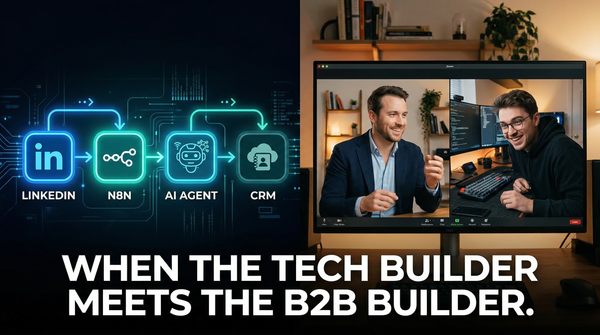
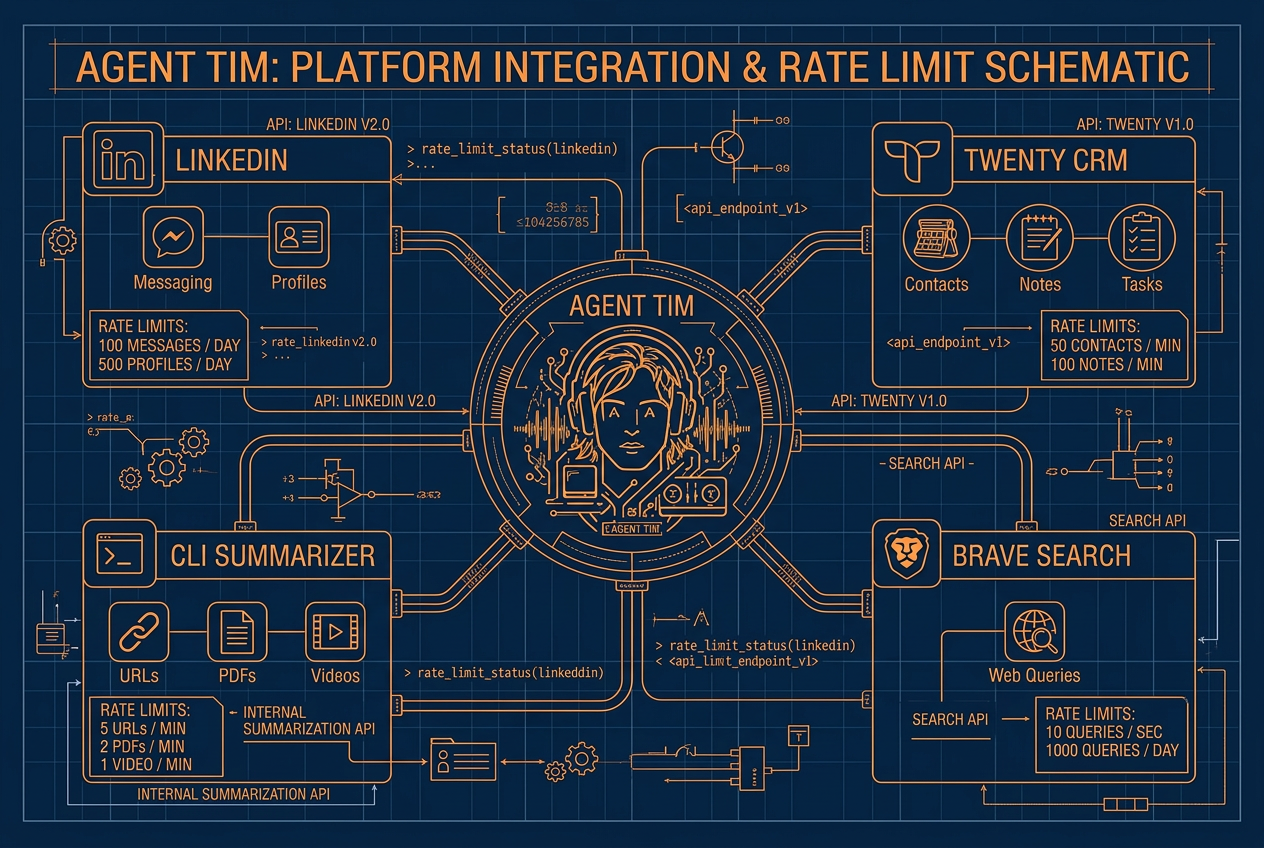
I’ve got a LinkedIn integration using the ConnectSafely API.
Tim can look up profiles, send messages, fire off connection requests—all with rate limits baked in (120 profiles a day, 100 messages a day, 90 connections a week) so I’m not getting flagged.
There’s a full CRM integration with Twenty, which is this awesome open-source CRM I’m running right on the same DigitalOcean instance.
Tim has complete access—contacts, companies, opportunities, tasks, notes, calendar events, the works—through both REST and GraphQL APIs.
I’ve got Brave Search so Tim can see what’s happening on the web.
And a CLI summarization tool that pulls and condenses content from URLs, videos, PDFs.
And here’s the key thing: sensitive operations require my approval.
Tim can’t just blast out LinkedIn messages without me saying go.
Delete something from the CRM? He asks first.
This is controlled digital autonomy.
The agent proposes, I sign off, and over time the trust just naturally expands as the system proves itself.
How Tim Learns (and Where AI Hits Its Limits)
I want to be real about something, because I think it’s important.
Tim learns, but not the way you and I learn.
His learning is a process of content compaction—he’s summarizing, distilling, and boiling down interactions to their important points, then storing those compressed memories in local files.
He’s using natural language to build his own repository of knowledge about me.
The more messages you put in the memory window, the better it knows you—but the worse it performs. That’s the reality of AI right now. It’s creating small amounts of distilled knowledge because it has to send messages around. It’s very inefficient at a certain level.
This is real.
There are genuine limitations here.
AI researchers have been working on this tension for years—Yann LeCun has proposed cognitive architectures for agents inspired by Daniel Kahneman’s fast-and-slow thinking framework.
Tim operates mostly in fast mode right now: quick pattern matching, rapid tool execution, efficient but relatively shallow reasoning.
As models get better and context windows get bigger, agents like Tim will develop deeper planning abilities and richer world models.
But even right now, the gap between having no agent and having a basic one is enormous.
This thing goes out and does things that would take me forever, in an instant.
And then it gets back and tells me the results.
The $50 Revolution
Here’s why I’m writing this.
The whole thing cost me fifty bucks.
And honestly, I went way beyond the basics—I’ve got a local database on the DigitalOcean instance, LinkedIn integration, a full CRM.
Most people don’t need all that.
The hosting can be $24 a month dollars a month or less. The LLM is on the free tier. Windsurf with Sonnet is affordable. And Nanobot is open source.
You do not need to spend $200 on some Perplexity bot.
You do not need to be a developer.
You need a vibe tool and the keys to your robot. That’s it.
I know that sounds too simple, but I went through a week of insanity to learn this so you don’t have to.
For 90% of people who follow the basic instructions—set up accounts, do the security things, let the tooling guide you—you’ll have whatever robot you design running in half a day.
And the ecosystem is exploding.
DataCamp already put out a Nanobot tutorial showing people how to get an agent running in under ten minutes.
The project’s GitHub is getting multiple releases a week—new channel support for WhatsApp, Discord, Slack, WeChat, new LLM providers, voice transcription, the whole nine.
There are going to be a thousand versions of autonomous agents, and once people see how this works, they’re going to be building everywhere.
People who really understand how to use AI to control AI are going to be controlling thousands of autonomous agents. It’s not a 10x advantage. The potential is thousands.
What’s Next
I’m upgrading Tim’s brain.
Bumping the LLM, expanding the memory window, connecting more tools.
I’m also seriously thinking about offering setup guidance—helping people get to that other side of the experience, where you actually control an autonomous robot and know how to use it.
Because marketing is great, but getting people through this process?
That’s where the real value is.
I know this is early.
Tim still hits errors.
He still needs me for edge cases. But he self-corrects, he learns, and he’s getting better every single day.
The trajectory is unmistakable.
When Jensen’s world comes out—when physical and digital autonomous agents start converging—people who’ve already been building are going to have a massive head start.
This is the birth of autonomous intelligence, and I’m excited to be right at the front of it.
The world will never be the same. And for fifty bucks, you might as well find out for yourself.
 Govind Davis